
Keep up with your Wazuh alerts.
Review Inbox puts alerts and vulnerable packages into a clear list on your phone. See what needs attention, check the affected hosts, and mark what you've reviewed.


Free on iOS and Android. Connect to your own Wazuh environment.
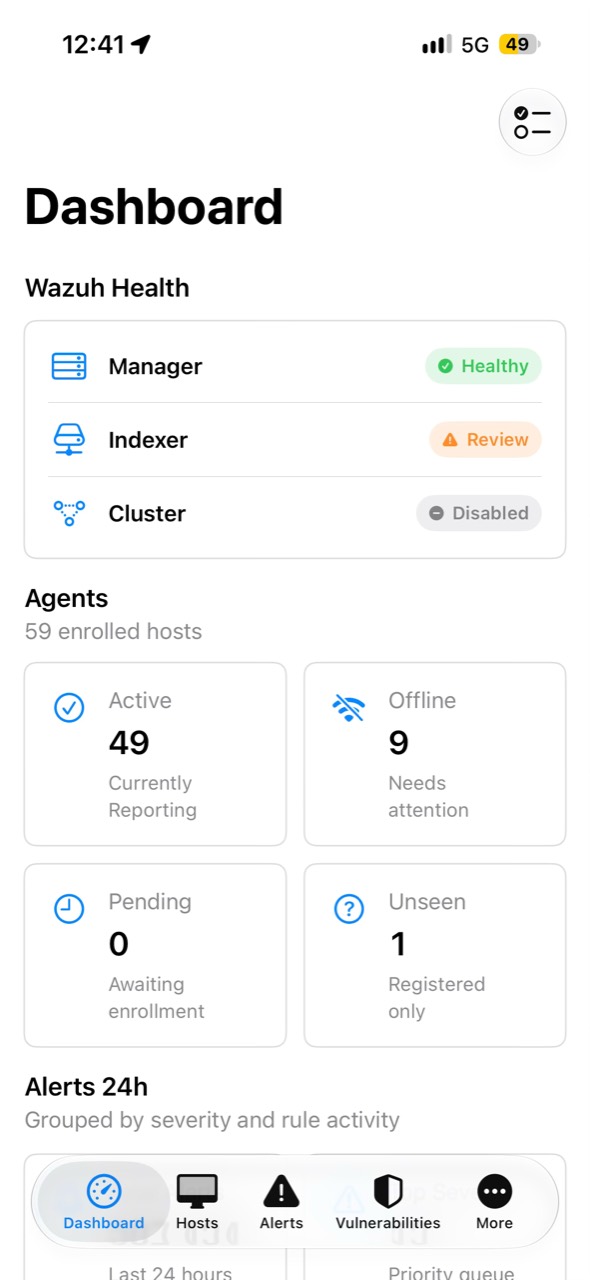
Keep your place in the daily review.
Open Gozuh between tasks or when you're away from your desk. Your inbox separates what still needs a look from what you've already checked.
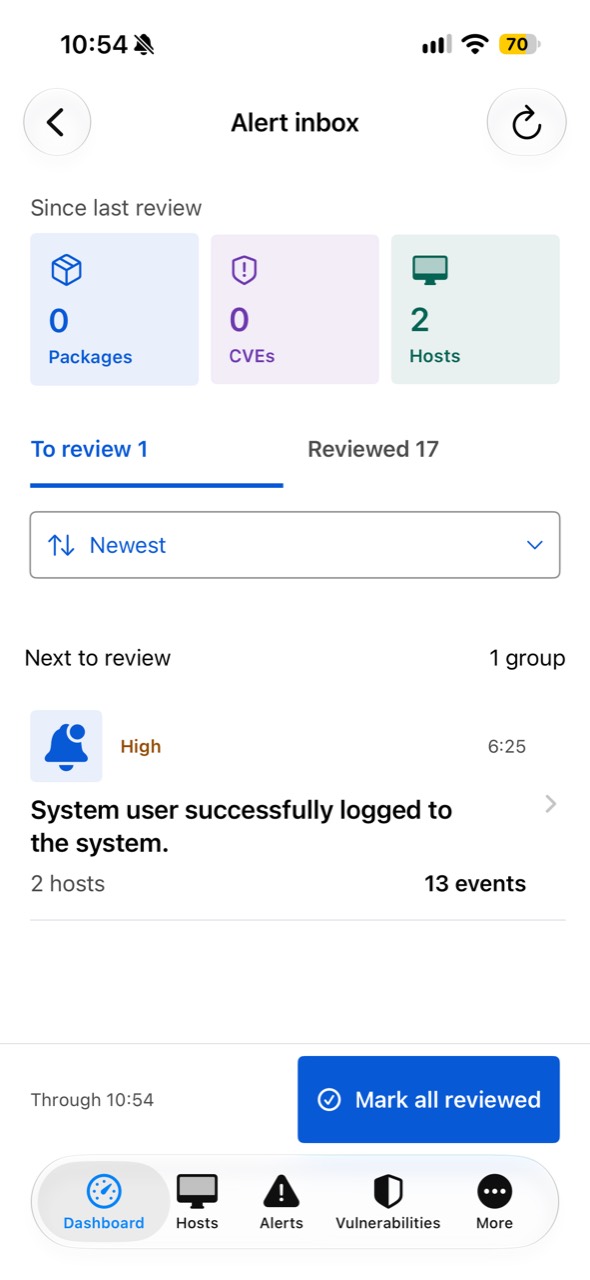
Review a package as a group
Several CVEs for the same package appear together. Check the host and CVE counts before opening the group. You'll know the scope before looking at the details.
Find the hosts and CVEs that matter
Open a group to explore affected hosts and CVEs. Search for a specific host or vulnerability when you need to take a closer look.
Keep track of what you've checked
Swipe left to mark a group as reviewed. Find it again under Reviewed whenever you want to revisit it. Your review marks stay on your device.
Come back to what's new
When a new detection appears in a reviewed group, it returns to your queue. The summary helps you see what's changed since your last review.
Make your next Wazuh check from your phone.
Install Gozuh, connect your Wazuh environment, and open Review Inbox from the dashboard. The app is completely free for iOS and Android.
Follow the connection setup guide